A charger may look like a simple block and cable, but heat, dust, and rough handling can shorten its useful life. This guide, “2026 Best Tips to Extend Your Source Charger Lifespan,” focuses on practical habits that protect its components and support reliable charging. Battery-care expert Isidor Buchmann has described batteries as “the weakest link in the chain.” That reminder matters: a charger and the device it powers work together, so good care means checking both.
How to extend the service life of a source charger effectively starts with a few observable details. Keep the charger uncovered on a hard, ventilated surface; a blanket or crowded power strip can trap heat. Match its output to the device’s requirements, and use a sound cable with undamaged connectors. Unplug by holding the plug, not pulling the cord. Small habits count.
Inspect the casing and cable regularly. Look for cracks, fraying, loose connections, or unusual warmth during ordinary use. If you notice damage, stop using the charger and follow the manufacturer’s support guidance. Do not assume every charger has the same limits: check its manual, especially for storage, cleaning, and temperature advice. Avoid moisture and harsh cleaners. Simple, not foolproof.
The recommendations ahead distinguish broadly useful care from model-specific instructions. They also recognize a practical limitation: careful use can reduce avoidable wear, but it cannot prevent every failure. A charger’s lifespan depends on its design, workload, surroundings, and maintenance. With a few consistent checks, you can often keep it dependable longer.
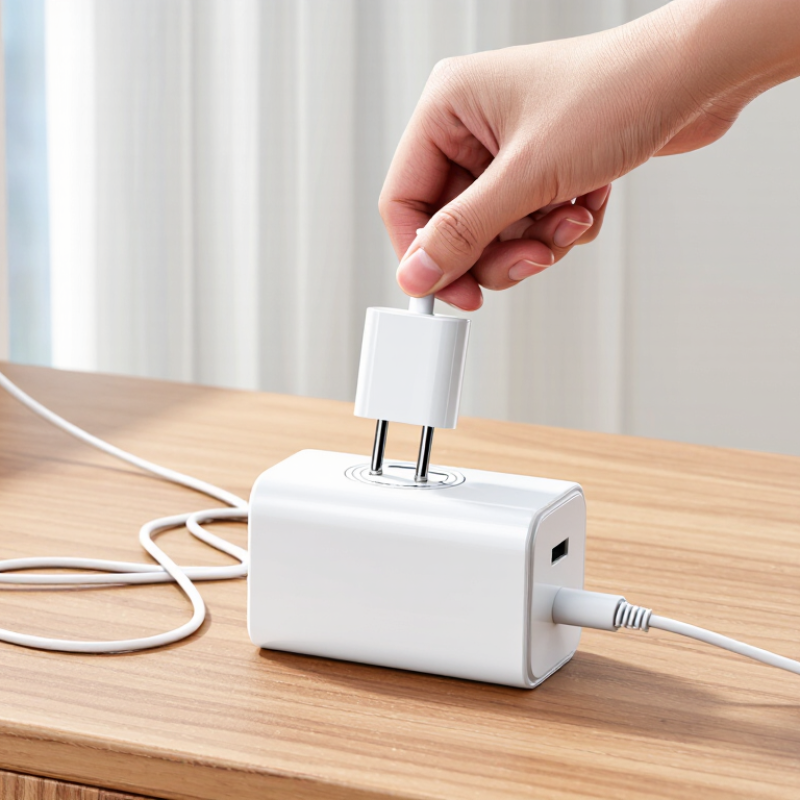
2026 Best Tips to Extend Your Source Charger Lifespan
A source charger converts wall-outlet AC into regulated DC power. In USB-C charging, the charger and device communicate to select a suitable voltage and current. USB Implementers Forum’s USB Power Delivery 3.1 specification supports up to 240 watts, at 48 volts and 5 amps. That capacity is a ceiling, not a constant output; the device draws power according to its needs.
Heat is a key stressor. High temperatures can strain internal components, while blocked vents or a charger buried under bedding trap warmth. Repeatedly yanking the cable can loosen connectors, too. It is easy to blame the adapter; sometimes the worn cable is the real culprit. A charger that becomes unusually hot, buzzes, or has a loose plug deserves inspection. Small signs matter.
Tips: Keep the charger uncovered, and unplug it by gripping the plug, not the cord. Avoid tight cable bends near the connector. Use a dry, well-ventilated outlet, and check cables for cracked insulation. Don’t keep using damaged equipment. A little imperfect habit can undo careful handling: I sometimes leave chargers plugged in all day, though unplugging unused units reduces needless standby use. USB-IF’s power figures describe capability, not expected service life; actual lifespan depends on design, operating temperature, and daily handling.
Before inspecting a source charger, disconnect it from the outlet and the device. Let it cool on a dry surface. Look closely. Check the cable from end to end for splits, flattened sections, exposed wires, or sharp kinks. Examine the plug for bent pins, looseness, dark marks, or a burnt smell. Small clues matter. A charger that feels unusually hot during ordinary use deserves attention, especially if the heat keeps returning.
Inspect the casing and charging port under good light. Cracks, gaps, rattling parts, or lint packed inside the port can signal wear; do not poke inside with metal tools. Watch how the charger performs, too. Intermittent charging, a loose connection, or an unexpected change in charging speed may point to damage, though the device or cable could also be responsible. It is easy to blame the wrong part. If you find exposed wiring, a damaged plug, or persistent overheating, stop using the charger and seek qualified repair or replacement. Do not open its casing. A quick glance can miss internal wear, so repeat checks occasionally, particularly after a fall or a period of heavy use.
A charger works best when its output matches the device’s needs. Check the small print on the charger and device, especially the supported voltage and power. A device usually draws only what it can accept, but a low-capacity charger may charge slowly or struggle when several devices share its ports. Heat is a warning. If the charger feels unusually hot, disconnect it and check for damage, blocked airflow, or an overloaded power strip.
Tips: Use one port for a high-demand device when possible. If you charge two devices together, check whether the charger reduces power across its ports. Keep it uncovered on a hard surface, and use a cable that is intact and suitable for the device. Give it space. These steps are simple, though remembering to check the output label is easy to overlook.
Avoid plugging more devices into a charger than its rated output can support. A tablet and phone charging together may take longer than either device alone. That does not automatically mean something is wrong. Stop using the charger if you notice a burning smell, damaged casing, buzzing, or repeated disconnections. Replace damaged equipment rather than taping it up. Charging habits are not always perfectly convenient; still, a quick temperature check and a glance at the label can help prevent unnecessary strain.
Treat a portable source charger as a lithium-ion battery, not a metal accessory. Heat, impact, and trapped moisture can shorten its useful life. Battery University’s BU-808 technical guide estimates that after one year at 25°C, a cell stored at 40% charge retains about 96% capacity. At full charge, the estimate falls to about 80%. These figures are reference estimates, not guarantees for every charger.
For storage lasting several weeks, leave the charger partly charged and keep it in a cool, dry drawer. Avoid hot cars and sunny windowsills. Not the glove box.
Handle the charger with dry hands, and keep its ports clear of coins, keys, and lint. A soft pouch helps prevent scratches, but do not wrap it tightly while charging. The U.S. Consumer Product Safety Commission advises using compatible charging equipment and stopping use if a battery is damaged or swollen.
Check the casing and cable before plugging in; a split cable or unusual bulge deserves attention. Store the unit away from sinks, heaters, and bedding, where spills or trapped heat may go unnoticed. I’d be careful not to overread a single capacity estimate: everyday temperatures and charging habits vary, and that uncertainty matters.
A charger does not need replacing just because it looks old. Still, age alone is an imperfect guide. Watch how it behaves during ordinary use: charging that repeatedly starts and stops, a plug that slips from the outlet, or a casing that becomes unusually hot can signal wear. A faint warmth may be normal, but scorching heat, a burnt smell, buzzing, or visible damage is not. Stop using a damaged charger and replace it rather than opening or repairing it yourself.
Check the simple causes before deciding. Try a compatible, undamaged cable and another suitable outlet, then see whether charging remains steady. If the problem follows the charger, replacement is a sensible choice. If it stays with the device, its charging port or battery may need attention instead. A loose connection can be frustrating. It can also be easy to misread.
Inspect the charger and cable every few weeks, especially near the plug, where bending often wears the insulation. Keep them dry, uncovered, and away from hot surfaces. Choose a replacement that matches your device’s required power and connector specifications; an unsuitable charger may charge slowly or perform unreliably. There is no single lifespan that fits every household. Frequent travel, tight cable bends, and heavy daily use can shorten service life, so let condition and consistent performance guide the decision.
| Area | Recommended Practice | Suggested Check | When to Replace or Take Action |
|---|---|---|---|
| Power adapter and cable inspection | Check the adapter casing, plug, cable, and connectors for cracks, cuts, bent pins, looseness, or exposed wires. | Before use and during regular household checks. | Stop using and replace damaged parts. Do not tape over exposed wiring or continue using a cracked adapter. |
| Heat and ventilation | Keep the charger uncovered on a dry, hard surface with room for air to circulate. Some warmth during charging can be normal. | Notice whether it becomes unusually hot during ordinary use. | Unplug it if it becomes excessively hot, emits a burning smell, changes shape, or discolors. Replace it if the issue persists or there is visible damage. |
| Handling the cable | Disconnect by holding the plug or connector, not by pulling the cable. Avoid tight bends, knots, and placing heavy objects on the cord. | Each time the charger is connected or stored. | Replace a cable that has fraying, crushed sections, intermittent charging, or a loose connector. |
| Moisture and cleanliness | Keep the charger and ports away from liquids, damp areas, and excessive dust. Unplug before cleaning and use a dry, soft cloth on exterior surfaces. | Check the charging area and connectors periodically. | Do not use a charger that has been soaked or has corrosion, residue, or moisture inside its openings. Replace it or have it assessed by a qualified service provider. |
| Electrical outlet and connection | Use a sound outlet and ensure plugs fit securely. Avoid overloading outlets or using damaged extension cords. | Check for a loose fit, buzzing, sparks, or heat around the outlet. | Stop using the outlet if it sparks repeatedly, feels hot, or has a loose connection; arrange qualified electrical inspection. Replace a charger that sparks or makes unusual noises during normal connection. |
| Charging compatibility | Use a charger and cable that support the device’s required connector and charging specifications. Follow the device manufacturer’s safety guidance. | When replacing a charger or using it with a different device. | Replace a charger that cannot provide reliable charging or is incompatible with the device. Avoid damaged or unverified charging equipment. |
| Charging performance | Check whether charging is steady and whether the adapter or cable remains securely connected. | If charging becomes unusually slow, stops and starts, or disconnects when the cable is still. | Test with a known-good compatible cable, adapter, and outlet where safe. Replace the faulty component if the problem follows it. |
| Storage and travel | Store the charger dry and loosely coiled. Protect the plug and cable from crushing, sharp edges, and repeated bending. | Before packing and after travel. | Replace it if travel damage causes a bent plug, cracked casing, damaged insulation, or unreliable charging. |
| Replacement timing | There is no universal replacement interval for all chargers. Service life depends on design, use, storage, and condition. | Base the decision on safety, visible condition, and reliable operation rather than age alone. | Replace immediately when there is a safety hazard; otherwise replace when charging remains unreliable after checking the outlet, cable, and device. |
It converts wall-outlet AC into regulated DC power. The device draws power according to its needs.
No. Its rated capacity is a ceiling, not a constant output. A device may draw less.
Heat, blocked vents, rough cable handling, and daily wear can strain its parts. Bedding can trap warmth.
Keep it uncovered and use a dry, well-ventilated outlet. Grip the plug when unplugging it. Avoid tight cable bends.
Disconnect the charger and let it cool first. Look for cracked insulation, exposed wires, bent pins, or dark marks.
Yes. Persistent heat, buzzing, a loose plug, or intermittent charging deserves attention. Small signs matter.
No. Metal tools can cause damage. Check the port under good light, and do not poke inside.
Stop using the charger if wiring is exposed, the plug is damaged, or overheating persists. Seek qualified repair or replacement. Don’t open the casing. I still forget to check cables sometimes.
A source charger converts electrical power into a form your device can use, and its lifespan depends on factors such as heat, charging load, physical damage, and everyday handling. How to extend the service life of a source charger effectively begins with regular inspection: check the cable, connector, and casing for fraying, looseness, cracks, or unusual heat. Stop using a charger that shows damage or behaves inconsistently.
Avoid overloading the charger by using it within its rated capacity and disconnecting devices when charging is complete. Keep it dry, cool, and well ventilated, and store it without tightly bending the cable or placing heavy items on it. Replace the charger if it has persistent faults, visible damage, or excessive heating. These simple habits can support safer operation and more reliable performance over time.

Caiku Electronic