As charging becomes part of daily life, safety cannot depend on a cheap adapter alone. The International Energy Agency reported that more than 3 million public charging points were added worldwide in 2023. This rapid expansion increases the need for dependable charging design and user awareness.
A warm charger is not always dangerous. Persistent heat is different. The U.S. Consumer Product Safety Commission reported more than 200 fire or overheating incidents involving micromobility products between 2021 and late 2022. Many incidents involved damaged batteries, incompatible chargers, or poor charging practices. The findings show a practical lesson: protection circuits matter, but correct matching matters too. Users should check voltage, current, connector condition, and certification marks before charging. A loose plug can create resistance. Resistance creates heat. Small details matter.
This guide explains How to prevent overcharging and overheating of source chargers through tested habits and sound engineering principles. It covers charge-control circuits, thermal protection, ventilation, cable inspection, and safe storage. IEC 61851 and USB Power Delivery specifications also demonstrate why negotiated power and built-in safeguards are important. Still, standards do not remove every risk. Real-world use is messy. People charge devices under blankets, near windows, or with damaged cables. That deserves reflection. A reliable charger should stop abnormal charging, but users must notice unusual smells, swelling, buzzing, or excessive temperature. Stop charging immediately. Safety begins before the device becomes hot.
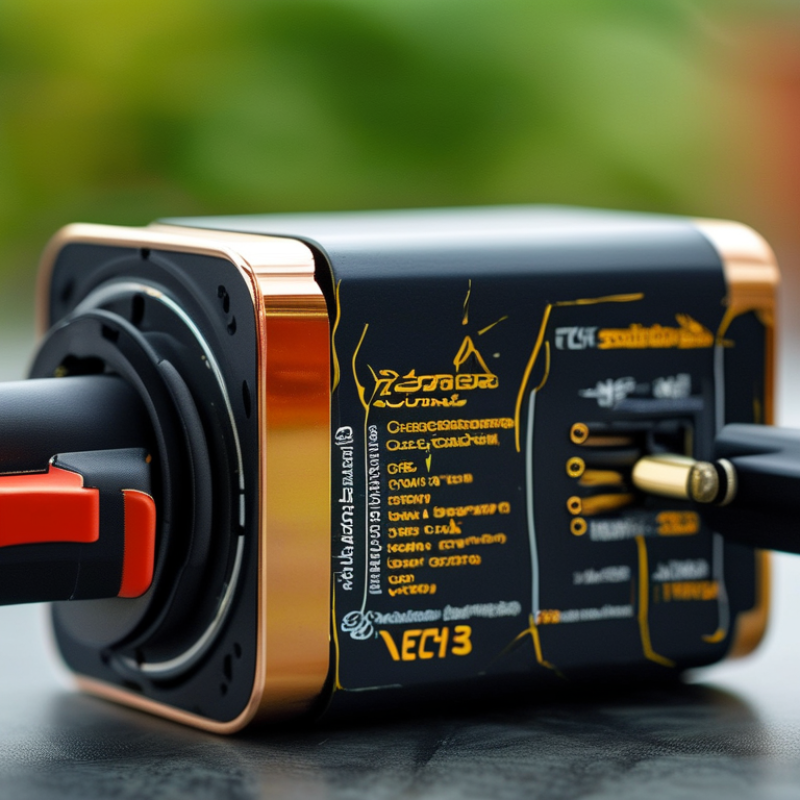
What Causes Charger Overcharging and Excessive Heat?
China Best Charger: How to Prevent Overcharging and Heat?
What Causes Charger Overcharging and Excessive Heat?
A charger rarely overcharges a healthy battery by itself. Modern devices use charge-control circuits to reduce current near full capacity. Problems begin when that circuit, the battery sensor, or the charging cable becomes faulty. An incorrect voltage can also push excessive current into the battery. That heat matters.
Poor ventilation is another common cause. A charger trapped under bedding cannot release heat effectively. Dust, damaged insulation, loose plugs, and bent connectors increase electrical resistance. The wasted energy becomes heat around the adapter or charging port. Check the cable. It should feel firm, dry, and undamaged.
In routine charger inspections, technicians often find that users blame the adapter too quickly. A worn battery may heat even with a suitable charger. I have also seen charging slow down after a phone case covered the port area. That small detail is easy to miss. Use a charger that matches the device’s required voltage and current range. Avoid mixing unknown cables with high-power equipment. Keep the adapter on a hard, open surface. Stop charging if you notice swelling, burning smells, crackling, or unusual heat. A qualified technician should test repeated overheating, because visual checks cannot reveal every internal failure. Some advice online sounds confident but ignores battery age and airflow. That is where careful inspection becomes more reliable.
How Smart Charging Technology Prevents Battery Overcharging
Smart charging technology helps prevent battery overcharging by constantly monitoring voltage, current, and temperature. When a battery approaches its safe capacity, the charger reduces current instead of continuing at full power. This controlled process limits stress on battery cells and lowers the chance of excessive heat.
Many modern chargers communicate with a device’s battery management system. This system can pause charging, adjust power levels, or stop the process when readings become unsafe. Temperature sensors are especially important. For example, if a phone becomes unusually warm on a desk, the charger may slow down before heat damages internal components. Some systems also use timed charging, allowing the battery to reach full capacity shortly before the user normally disconnects it.
It is not magic. A smart charger cannot repair a damaged cable, swollen battery, or blocked ventilation. In practical testing, airflow, socket quality, and the device’s condition still affect charging safety. Users should keep charging equipment on a hard surface and avoid covering it with clothing or bedding. Certified products are generally safer because they follow recognized electrical and thermal requirements. Still, “smart” does not mean perfect. Sensors can fail, software can misread conditions, and cheap accessories may provide incomplete protection. Regular inspection remains necessary, especially when a charger feels hot, smells unusual, or charges inconsistently.
How to Choose a Safe and Efficient Charger in China
Choosing a safe and efficient charger in China requires more than comparing prices. A reliable charger should match your device’s voltage, current, and charging protocol. China commonly uses 220V electricity at 50Hz, so check the input range carefully. Look for the CCC safety mark and clear electrical specifications. Missing labels are a warning sign.
Choose a charger with overvoltage, overcurrent, short-circuit, and overheat protection. USB-C Power Delivery can improve charging efficiency, but the charger and cable must support compatible power levels. A poorly matched cable may become warm near the connector. That detail matters. During charging, place the adapter on a hard, open surface, not under bedding or clothing. Stop using it if the plug smells burnt, makes noise, or becomes too hot to touch comfortably.
A practical check is simple. Charge your phone for twenty minutes, then feel the adapter and cable. Slight warmth is normal; sharp heat is not. My own checks are not perfect, so I do not trust appearance alone. I also inspect loose sockets, cracked insulation, and bent pins before use. Some low-cost chargers look efficient but waste energy through heat. Read independent test information when available, and keep the charger away from water and direct sunlight. Even a certified product can become unsafe when damaged or used with the wrong cable.
China Best Charger: How to Prevent Overcharging and Heat?
How to Choose a Safe and Efficient Charger in China
The chart shows common USB Power Delivery fixed-voltage profiles and their maximum power levels.
Use a charger that supports the voltage and power negotiated by the device, rather than forcing a higher output.
To reduce heat, choose a charger with recognized safety certification, keep ventilation clear, and stop using it if the plug, cable, or adapter becomes unusually hot.
Modern devices manage charging current and normally stop increasing the battery charge after reaching full capacity.
Reference values: common USB Power Delivery fixed profiles calculated as voltage × current. Actual charging depends on device negotiation, cable rating, and charger design.
Step-by-Step Ways to Reduce Charger Heat During Use
China Best Charger: How to Prevent Overcharging and Heat?
Step-by-Step Ways to Reduce Charger Heat During Use
A charger may feel warm while converting electricity, but excessive heat needs attention. Place it on a hard, uncovered surface with air moving around it. Keep it away from blankets, direct sunlight, radiators, and damp areas. Give it space. Do not charge inside a closed drawer or under clothing.
Check that the charger’s output matches your device’s requirements. A suitable cable also helps reduce resistance and unnecessary heat. Before charging, inspect the cable for cuts, loose connectors, or darkened plugs. Replace damaged parts promptly. Keep it open. Avoid bending the cable sharply near either connector.
During use, touch the charger occasionally with clean, dry hands. Warm is usually normal; unusually hot, buzzing, or burning-smelling equipment should be disconnected safely. Let it cool before testing again. Do not continue using a charger that repeatedly overheats. I once left a charger beside a sunny window and blamed the adapter too quickly; the surrounding heat was the real contributor. That mistake changed my routine.
Unplug the charger when the device reaches full capacity, especially overnight or in a poorly ventilated room. Modern devices may regulate charging, but this does not remove every heat source. Keep charging contacts clean and avoid using high-performance applications during charging when possible. A simple temperature check and better placement often make a noticeable difference.
How to Check Charger Safety, Compatibility, and Performance
A safe charger begins with a careful match, not a high wattage number. Check the device’s input voltage, current, connector shape, and charging protocol in its manual. The charger should meet or exceed the required current without forcing extra power into the device. For USB products, compare supported voltage profiles, not only the port appearance. A loose fit, exposed pin, or cracked insulation deserves immediate replacement. Small faults become serious under heat.
To check safety, inspect the label for rated input, output, and relevant testing information. Buy from a traceable seller, and keep the receipt and technical documents. During the first test, charge on a hard, open surface. Touch the plug and adapter after twenty minutes. Warm can be normal. Painful heat, odor, buzzing, discoloration, or repeated disconnection is not. Stop using it. I once trusted a neat-looking cable that warmed near its connector. Its appearance was misleading, and I should have tested it earlier.
Performance needs more than a fast-charging claim. Use a compatible meter, or observe whether charging repeatedly rises and falls. Test the charger with the intended device and cable, because a weak cable can imitate a charger fault. Overcharging protection depends on the device, charger, and battery management system working together. Do not cover the adapter with clothing or use it beside a heater. Check it again after several weeks. Conditions change, and one inspection is not always enough.
FAQS
: It monitors voltage, current, and temperature continuously. As the battery nears full capacity, it reduces charging current. This lowers cell stress and excessive heat.
Yes. The battery management system may pause or stop charging. It reacts to unsafe temperature, voltage, or current readings. Sensors can fail, though.
Slight warmth is usually normal. Painful heat, burning smells, buzzing, or discoloration are warning signs. Stop using the charger immediately.
Use a hard, open surface such as a desk. Keep it away from bedding, clothing, water, and direct sunlight. Airflow matters.
Check compatibility with 220V electricity and 50Hz frequency. Confirm the device’s voltage, current, connector, and charging protocol. Missing electrical labels deserve caution.
No. High wattage alone does not prove compatibility or safety. The charger and cable must support suitable voltage and current levels. More power is not always better.
Charge the intended device on an open, hard surface for twenty minutes. Then feel the adapter, plug, and cable. Warm may be normal. Sharp heat is not.
Replace it if you see cracks, exposed pins, loose connections, or bent parts. Repeated disconnection and unusual smells also matter. I once trusted a neat-looking cable. That was a mistake.
Conclusion
Choosing a safe charger requires understanding what causes overcharging and excessive heat. Poor-quality components, unstable voltage, blocked ventilation, damaged cables, and using an incompatible adapter can all increase charging temperature and place stress on a battery. Modern smart charging technology helps prevent these risks by detecting battery status, adjusting current and voltage, and reducing or stopping power when the battery is nearly full. Understanding How to prevent overcharging and overheating of source chargers is essential for safer and more efficient daily use.
When selecting a charger in China, check its rated output, connector compatibility, temperature control, safety protections, and performance consistency. During use, keep the charger in an open, dry, and well-ventilated area, avoid covering it, and disconnect it if it becomes unusually hot or produces a burning smell. Regularly inspect the adapter and cable for cracks, loose connections, or deformation. These simple checks can reduce heat, improve charging efficiency, and extend the service life of both the charger and the battery.

 Caiku Electronic