Why Compare Different Charger Brands Before Buying?

Time:2026-11-21 Author:Oliver
0%

Before choosing a charger, compare more than the logo and price. Two models may promise the same wattage yet behave differently with your phone, tablet, or laptop. One may charge quickly through USB-C Power Delivery, while another may slow down when several ports are used. Cable quality, heat, safety certifications, warranty terms, and support also matter. Small details count.

Benson Leung, known for testing USB-C products, offers a useful lesson through his work: check real-world performance, not just package claims. This is a paraphrase of that principle, not a direct quotation. It points to a practical question: How to compare different brands of source chargers reasonably? Start by matching supported charging protocols and power profiles to your devices. Then review independent test results, connector quality, temperature behavior, and warranty coverage. A charger that feels warm after ten minutes may deserve closer inspection. So should a listing with vague compatibility claims.

Price still matters. But the cheapest option can cost more if it charges slowly or needs replacing soon. Product pages are imperfect, and reviews can be noisy; even careful comparisons have limits. A sensible choice weighs measurable performance against everyday needs, rather than treating one headline specification as proof of quality. That takes a little patience. It can prevent a frustrating mismatch.
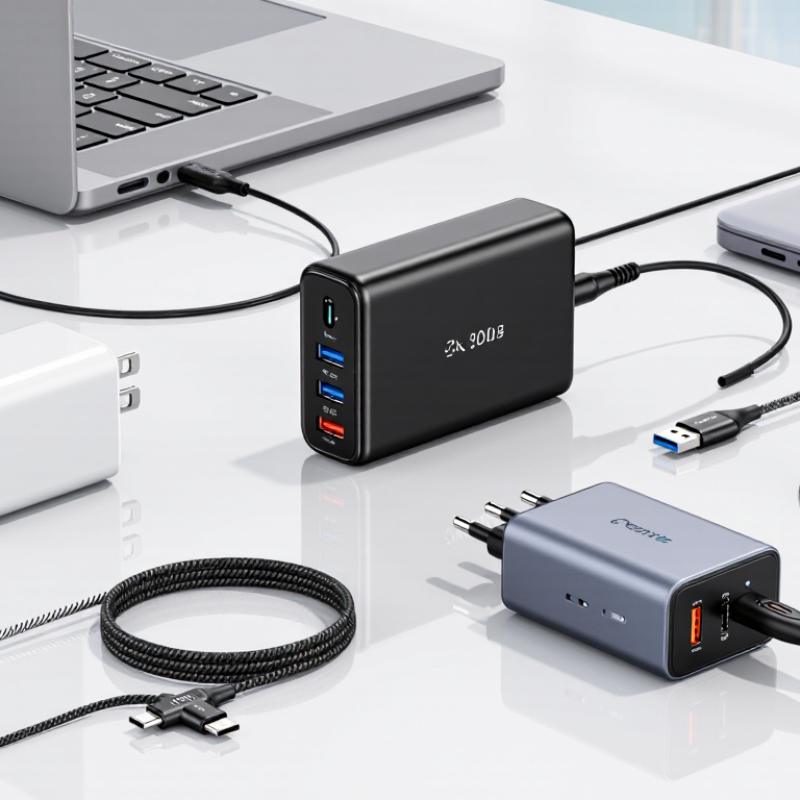
Why Compare Different Charger Brands Before Buying?

How USB Power Delivery 3.1’s 240 W Limit Shapes Charger Comparisons

Why Compare Different Charger Brands Before Buying?

How USB Power Delivery 3.1’s 240 W Limit Shapes Charger Comparisons

USB Power Delivery 3.1 raises the standard’s maximum power to 240 W through Extended Power Range. USB-IF’s 2021 specification describes fixed 28 V, 36 V, and 48 V profiles, with up to 5 A. That 48 V × 5 A ceiling is a useful comparison point. It is not a promise that every charger will deliver 240 W to every device. The device, cable, and charger must support compatible power profiles. The USB-IF Type-C Cable and Connector Specification, Revision 2.1, also established requirements for cables rated up to 240 W. Details matter.

When comparing chargers, check the output table, not just the largest number on the box. A compact 100 W model may suit a laptop, while a 240 W unit may better serve high-demand equipment. But a multiport charger can divide its power when several devices are connected. Check its port-by-port allocation and whether it supports the voltage profiles your device requests. Cable rating matters, too. A mismatched cable can limit charging. So can heat. A charger’s maximum rating alone says little about sustained performance. I would treat it as a starting point, not a verdict. Real-world charging can be less tidy than the spec sheet suggests.

Check USB-C Cable Ratings: 60 W and 240 W Power Classes

Why Compare Different Charger Brands Before Buying?

A USB-C plug does not guarantee equal charging power. USB-IF’s USB Power Delivery 3.1 specification defines Extended Power Range up to 240 W. A 60 W cable typically supports up to 20 V at 3 A; a 240 W cable can support up to 48 V at 5 A. The higher rating matters for power-hungry laptops and other compatible devices.

But the charger and device must also support the required power level. A 240 W cable cannot make a 60 W charger deliver more.

Look for the cable’s printed power rating, not just its connector shape. A thin cable in a drawer may be fine for a phone, yet unsuitable for a laptop under load. USB-IF’s cable-rating guidance distinguishes 60 W and 240 W power classes, helping buyers compare specifications across products.

Still, ratings alone do not tell you how sturdy a cable feels or how well it handles daily bending. That part is easy to overlook.

Tips: Match the cable rating to your device and charger. For a 240 W setup, verify that the cable is rated for 240 W and supports USB PD EPR. Keep the label or packaging for reference. Small detail. It can save a frustrating slow-charge test later.

Compare Energy Use Against the EU’s 0.10 W No-Load Limit for ≤49 W Adapters

A charger can keep using electricity when nothing is connected. For external power adapters rated at 49 watts or less, the EU’s no-load limit is 0.10 watts. That is a ceiling, not a promise that every adapter draws exactly that amount. Check the adapter’s rated output, then compare independent test results measured with no device attached. The distinction matters: charging efficiency under load and standby draw describe different behavior.

At 0.10 watts, continuous connection for a year would use about 0.88 kilowatt-hours. The real difference between two chargers may be small, but repeated across several outlets, it becomes easier to notice. Use the same outlet meter and setup for each test. A reading that flickers between 0.0 and 0.1 watts may reflect the meter’s resolution, not a meaningful performance gap. Tiny numbers need careful measurement.

There is a practical catch. A charger’s no-load result does not tell you how well it charges a phone or handles heat. Compare those factors separately, and avoid treating one laboratory reading as a guarantee for every home. Even careful comparisons have limits. Check whether the test was conducted at the same voltage and under comparable conditions; otherwise, the neatest number may not be the fairest one.

Assess Electrical Safety Through IEC 62368-1 Certification

When comparing chargers, electrical safety deserves more attention than shell finish or port count. IEC 62368-1 is a product-safety standard for audio, video, and information and communication technology equipment. It uses hazard-based principles to assess risks such as electric shock, fire, and excessive heat. A charger assessed against the standard has undergone structured checks, but the standard does not make every model identical or risk-free.

Look for certification details tied to the exact model, not just a logo printed on a retail box. Check the manufacturer’s documentation for the standard edition, certification body, and model number. The label should match the device in your hand. Small details matter. A certificate for a related model may not cover a charger with different components or ratings. Independent certification records can help confirm a claim when available.

Also compare plug fit, cable condition, rated output, and temperature during ordinary use. Stop using a unit with a loose casing, unusual odor, or excessive warmth. A cool surface is reassuring, not proof. Real-world conditions vary, and certification cannot replace sensible use. It is tempting to treat one mark as the whole answer; that shortcut deserves a second look.

Why Compare Different Charger Brands Before Buying? - Assess Electrical Safety Through IEC 62368-1 Certification
Comparison dimension What the standard or evidence means What to check before buying
Applicable safety standard IEC 62368-1 is a product-safety standard for audio/video, information and communication technology equipment. It uses a hazard-based approach to identify energy sources and required safeguards. Look for documentation identifying IEC 62368-1 and the edition or national adoption used for the product.
Certification evidence IEC publishes standards; it does not itself certify individual products. Testing and certification are performed by independent conformity-assessment bodies or certification schemes. Check that any certificate or test report identifies the exact charger model and can be verified with the issuing organization.
Electric-shock protection IEC 62368-1 classifies electrical energy sources (ES1, ES2 and ES3) and specifies safeguards intended to protect against hazards, including electric shock. Prefer verifiable safety documentation over claims such as “shockproof” that are not tied to a test or standard.
Insulation and separation The design must provide appropriate safeguards between hazardous parts and accessible parts. The required construction and tests depend on the equipment design and applicable requirements. Compare model-specific test evidence and check that the charger is intended for the mains voltage and plug system in your region.
Temperature and fire hazards The standard addresses hazards such as excessive temperature and fire through requirements for safeguards, materials and construction, as applicable to the product. Check for credible safety documentation and stop using a charger that shows melting, discoloration, unusual odor or damaged casing.
Overcurrent and abnormal operation Safety assessment considers relevant operating and fault conditions. The specific protective components and tests depend on the charger's design. Compare published input and output ratings, and avoid units with unclear specifications or signs of damage.
USB charging compatibility IEC 62368-1 addresses product safety; it does not, by itself, establish that a charger supports a particular USB charging protocol or power level. Separately verify the supported protocol, voltage and current against the requirements of your device and cable.
Regional requirements Countries and regions may adopt IEC standards with national differences or impose additional regulatory requirements. Confirm that the charger is approved for sale and use in your location; do not assume one certificate covers every market.
Traceability and labeling Model identification and electrical ratings help connect a product to its documentation and intended use. Check for a legible model number, input rating, output rating and manufacturer or responsible-party information on the product or packaging.

Note: Certification marks and claims should be checked against the relevant issuing body and local requirements; a mark alone does not confirm compatibility with every device.

Weigh Compatibility, Warranty Coverage, and Price Across Charger Brands

Why Compare Different Charger Brands Before Buying?

A charger can look right and still be a poor match. Check the connector, supported charging standard, and output against your device’s requirements. A phone may charge slowly if the adapter cannot deliver enough power, while a laptop may need a higher-wattage model. More power is not automatically better; confirm that the device supports the charger’s output. Small details matter.

Warranty coverage can vary as much as price. Read how long the warranty lasts, what faults it covers, and whether you must keep the receipt or original packaging. Also check the return window. A low-priced charger may seem like a bargain, but a short warranty or missing cable can change its real value. I’d compare the full cost, not just the number on the shelf. Not always obvious.

Tips: Match the charger’s specifications to your device manual. Compare warranty terms in writing. Check whether a cable is included, and inspect the plug and casing before use. If the specifications are unclear, choose a better-documented option.

Why Compare Different Charger Brands Before Buying?

Compare compatibility, warranty coverage, and price—but first check the charging standard. The chart shows standard-defined maximum power, not a guarantee of what a particular charger or device will deliver.

What to check: Confirm that the charger supports your device’s charging protocol and that you have a suitable cable. Warranty terms and prices vary by product and seller, so compare those details on the individual product listings.

Maximum power figures: USB-IF USB Power Delivery specifications and Wireless Power Consortium Qi2 specifications. Actual charging power depends on the charger, device, and cable.

FAQS

Does every USB-C cable support the same charging power?

No. A USB-C connector alone does not show a cable’s power rating. Check the printed rating.

What is the difference between a 60 W cable and a 240 W cable?

A 60 W cable typically supports up to 20 V at 3 A. A 240 W cable can support up to 48 V at 5 A. That matters.

Will a 240 W cable make my charger deliver more power?

No. The charger and device must also support the required power level. A high-rated cable cannot upgrade either one.

What should I check before buying a charger?

Match its connector, charging standard, and output to your device’s requirements. Check the device manual, too. Easy to miss.

Is a higher-wattage charger always better?

Not necessarily. Confirm that your device supports the charger’s output. More power is not automatically a better match.

How can I check whether a cable suits a 240 W setup?

Look for a 240 W rating and support for USB PD EPR. Keep the packaging or label for reference.

What warranty details should I compare?

Check the warranty length, covered faults, and return window. You may need the receipt or original packaging. I’d verify the terms in writing.

How should I compare the real cost of chargers?

Check whether a cable is included, then compare the total price and warranty. I sometimes focus too much on the wattage; that is not the whole story.

Conclusion

Comparing charger options before buying helps ensure that power, safety, efficiency, and value all match your needs. USB Power Delivery 3.1 can support up to 240 W, but a charger’s output should suit the devices you plan to use. Check the USB-C cable’s rated power as well: cables in the 60 W and 240 W classes are designed for different power levels, and the cable must be appropriate for the charger and device.

How to compare different brands of source chargers reasonably is to look beyond headline wattage. Consider no-load energy use, including the EU’s 0.10 W limit for adapters rated at 49 W or less, and check for IEC 62368-1 safety certification. Finally, compare device compatibility, warranty coverage, and price together. These checks make it easier to choose a charger that is dependable and practical without paying for features you do not need.

Oliver

Oliver

Oliver is a seasoned marketing professional with a wealth of expertise in driving brand awareness and engagement. With a deep understanding of our company's product offerings, he consistently delivers high-quality content that enriches our professional blog. His insights not only shed light on......